RESTOREPHOTO · PRACTICAL PHOTO RESTORATION
Give a blurry face a clearer look.
Learn when AI can help a blurry face photo, compare a real model output on a synthetic portrait, and try restoring a recognizable face online.
Try a free restorationCan a blurry face photo be restored?
Sometimes AI can make a recognizable face look clearer. It works by reconstructing plausible detail, not by uncovering a hidden, perfect original. Soft focus and low-resolution portraits are reasonable starting points. Strong motion blur, a very tiny face, or a face mostly hidden from view may leave too little information for a reliable-looking result.
Start with the best digital copy you have. A screenshot of a compressed message attachment usually contains less usable detail than the original file. If you have the paper print, scan it first rather than repeatedly sharpening a poor copy.
A portrait, seen more clearly
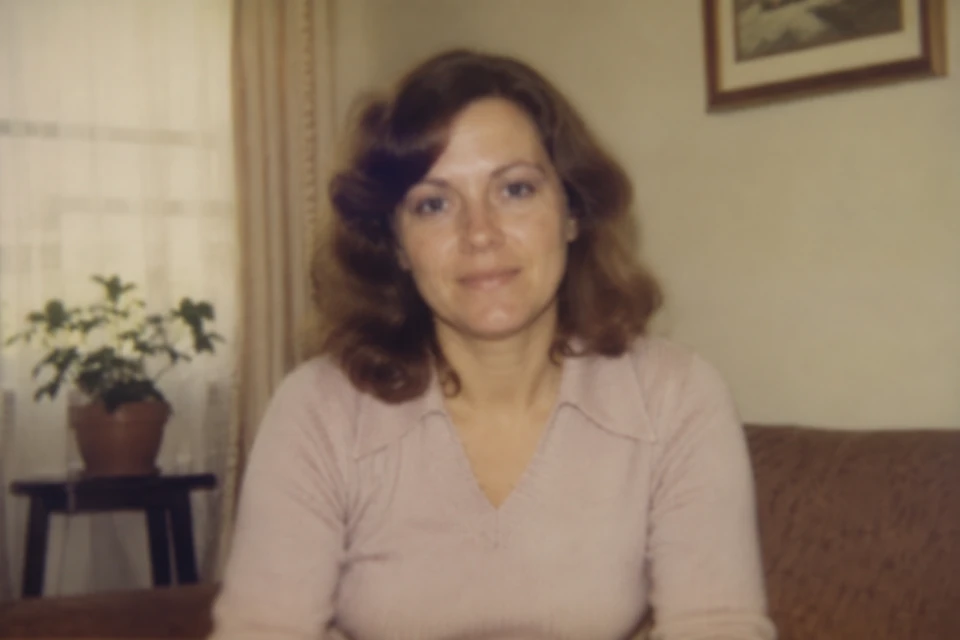
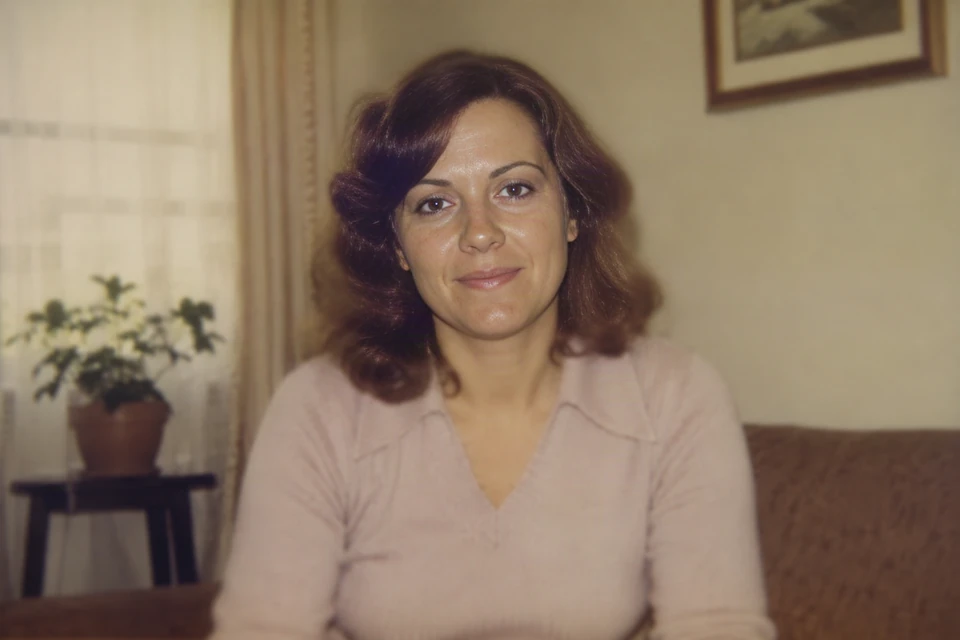 BeforeAfter
Drag the line to compare · Use arrow keys when focused
A single face makes it easier to compare eyes, skin texture, and the overall expression. A sharper-looking result is not proof that every reconstructed detail is accurate.
Restore a blurry portrait in three steps
- Choose the original. Upload a JPG, PNG, or WebP up to 20 MB. Use a photo you have permission to process, with the face clearly inside the frame.
- Sign in and review the preparation. Choose the free restoration if eligible, approve any requested resize, and start processing. Larger upload dimensions do not guarantee more recovered detail.
- Compare before downloading. Drag the image divider across the eyes, mouth, hairline, and face shape. Save the output separately from the original.
Free restorations process your photo at up to 512 pixels on its longest side. Larger photos are resized proportionally with your approval. See the FAQ for eligibility and current processing limits.
What to check beyond sharpness
- Eyes: do their direction, shape, and spacing still look plausible?
- Mouth and teeth: has a familiar smile changed?
- Age and texture: has smoothing made the person look younger or less like themselves?
- Edges: are there halos, uneven texture, or unnatural transitions near the hair?
If a sharper result looks less like the person, keep the original. Running it through restoration repeatedly can compound invented details. A better scan or a different source photo is often a more useful next step.
Common questions about blurry faces
Will it recover the exact original face?
No. AI can make details look clearer while changing them. Do not treat the result as proof of a person’s original appearance.
Can this fix a deliberately blurred identity?
Do not use it to identify people from obscured faces or for evidence. The tool is for personal photo enhancement, not factual recovery.
Can I repair scratches at the same time?
RestorePhoto focuses on face restoration. Scratch removal, torn-photo reconstruction, and colorization are not offered.
Compare more actual model outputs →