RESTOREPHOTO · PRACTICAL PHOTO RESTORATION
See what changes. Keep what matters.
Compare three synthetic portrait, family, and wedding photos with actual AI restoration outputs. Drag each divider to inspect facial details and limitations.
Try a free restorationThree inputs. Three actual model outputs.
These are invented people in AI-generated photos, not customer photos or historical records. Each After is an actual restoration output from its corresponding Before, not a separately generated “perfect” photo. The two new family and wedding inputs were resized before processing, then sent to the same CodeFormer model used by RestorePhoto.
Displayed images are resized and compressed for the web. Look at expressions and small features as well as sharpness. Results on your own photos can differ.
A portrait, seen more clearly
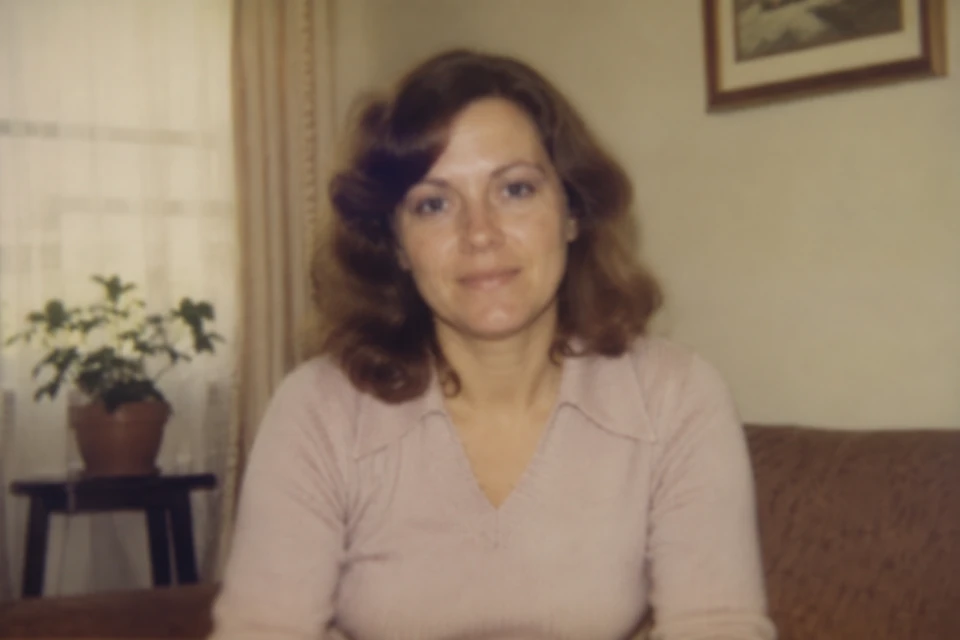
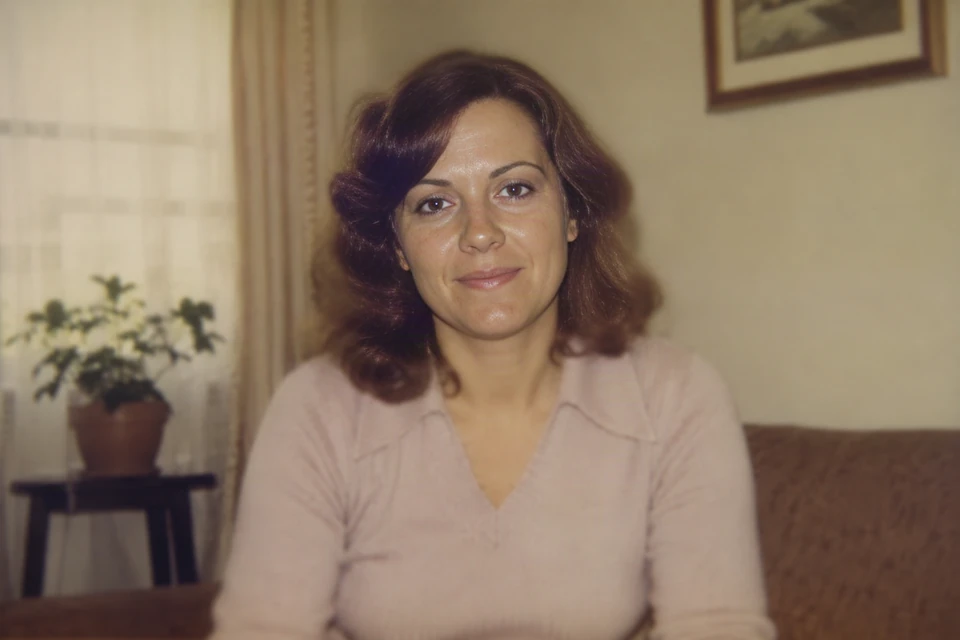 BeforeAfter
Drag the line to compare · Use arrow keys when focused
A single face makes it easier to compare eyes, skin texture, and the overall expression. A sharper-looking result is not proof that every reconstructed detail is accurate.
Two familiar faces, one family memory
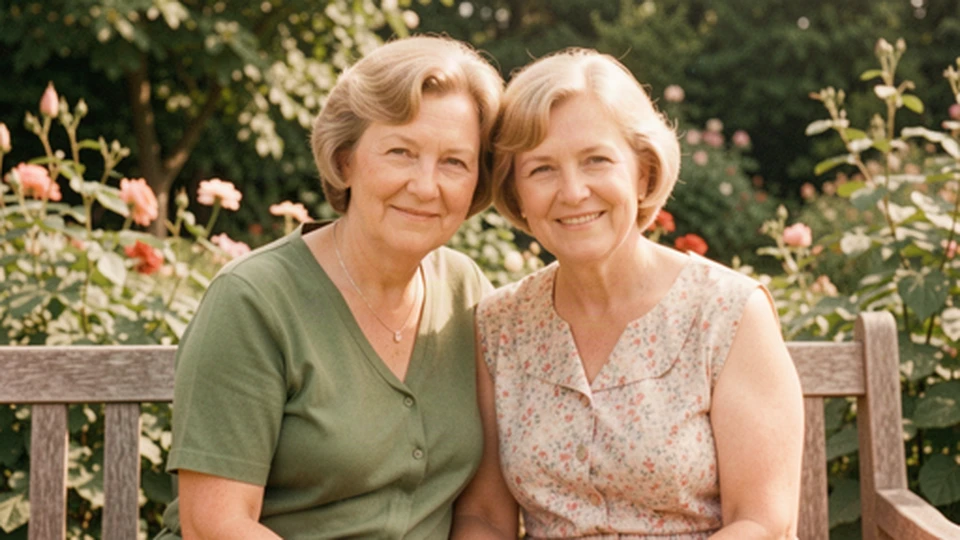
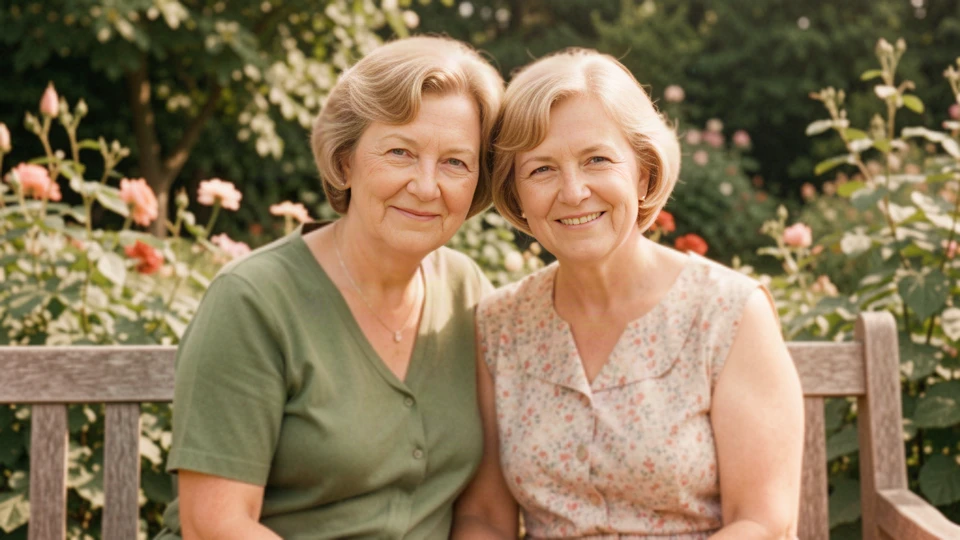 BeforeAfter
Drag the line to compare · Use arrow keys when focused
Look at both faces, not just the sharper one. Facial edges and hair look more defined here, while the background stays soft. Each face can change differently.
A wedding portrait in black and white
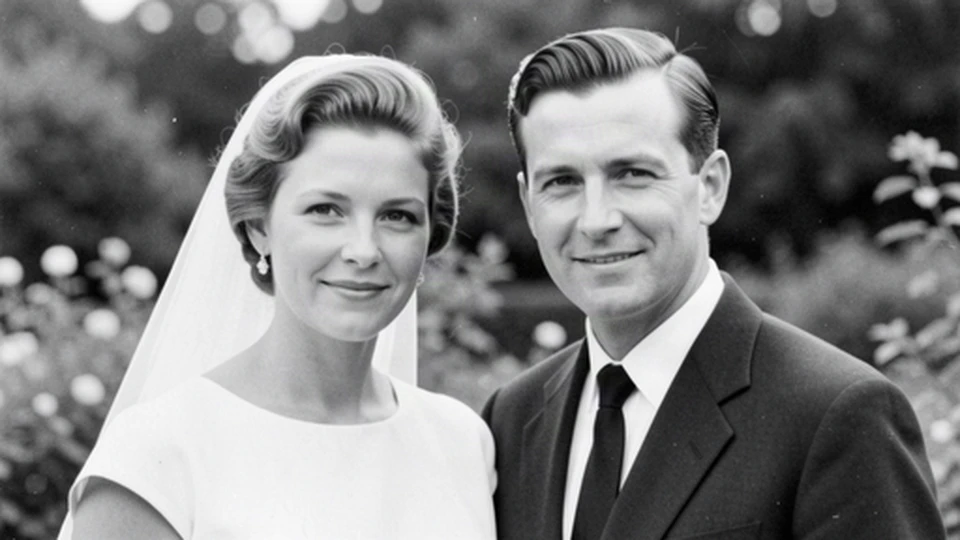
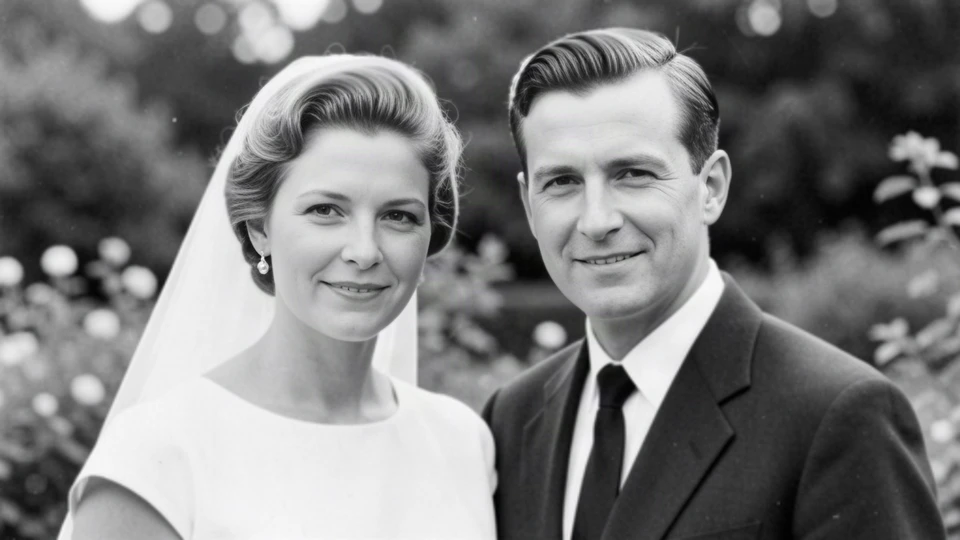 BeforeAfter
Drag the line to compare · Use arrow keys when focused
Compare the mouth and teeth as well as sharpness: facial details changed in this result. This is not a colorization example or a guarantee that every black-and-white input will keep its tones.
What these examples do not prove
AI can invent plausible features. A crisp eye or smile does not confirm what was in the original. These samples do not demonstrate scratch removal, tear reconstruction, colorization, or identity verification. Save the unedited original and choose the version that feels right to you.